Nomekop: my Pokémon TCG binder app
I built a free web app that plans Pokémon TCG binder layouts, tracks your collection and prints A4 binder pages – wrapped in an original Game Boy aesthetic.
Organising a Pokémon TCG binder sounds simple until you actually try it. How many pockets per page? Where do the reverse holos go? What about secret rares that go beyond the printed set number? I built Nomekop to do that thinking for me – and dressed the whole thing up as a Game Boy while I was at it.
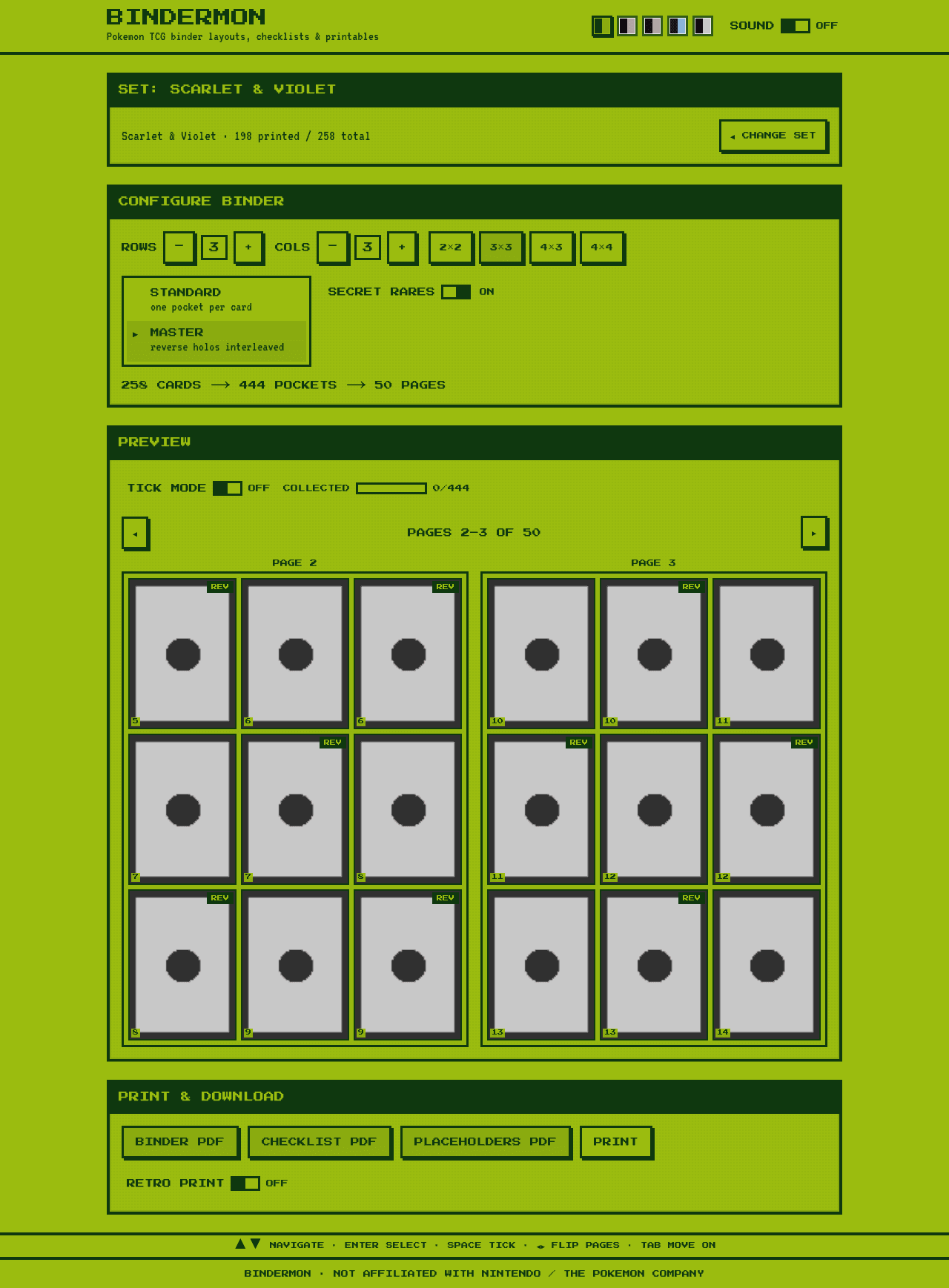
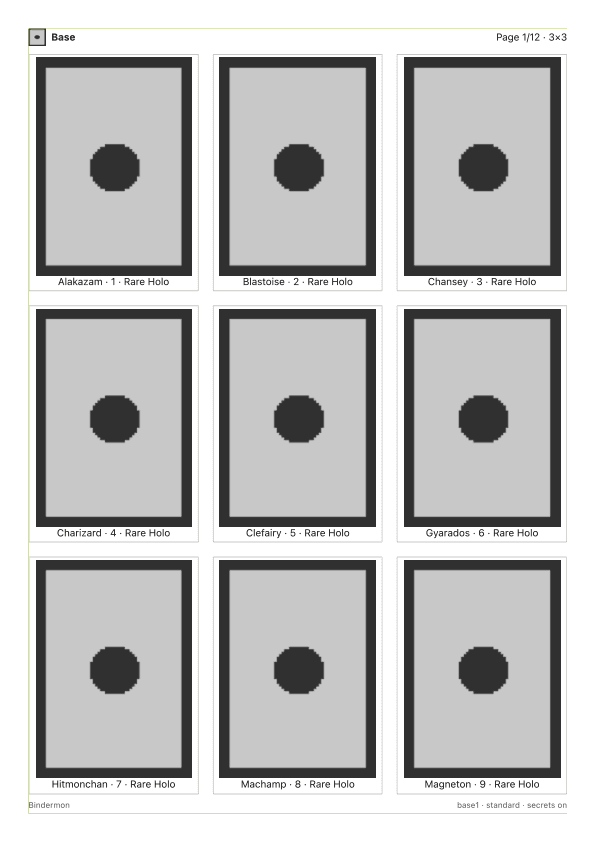
Pick any set, choose your binder grid (anything from 1×1 to 5×5), tick off what you’ve collected, and print A4 PDFs: binder pages, a checklist, and true-size pocket placeholders with crop marks. It’s free, there are no accounts, and the code is public on GitHub.
The problem with binders
A 12-pocket binder and a 9-pocket binder produce completely different page layouts for the same set, and the moment you decide to chase a master set – base cards plus their reverse holo parallels – the maths gets annoying. Some modern sets make it worse with Poké Ball and Master Ball pattern variants.
Nomekop’s layout engine handles all of it:
- Cards sort by collector number, with secret rares and TG/GG subsets on a toggle.
- Master set mode interleaves each reverse holo next to its base card. There’s no flag for this in the card data, so it’s detected from price data with an era and rarity fallback.
- Ball-pattern sets (Prismatic Evolutions, Black Bolt, White Flare) get their own toggles, interleaved or grouped at the end.
- The result paginates into facing-page spreads you can flip through before committing to a layout.
The same engine drives everything. The on-screen preview, the print views and the PDFs all render from one set of React components – so what you see in the binder preview is exactly what comes out of the printer.
The Game Boy part
The interface is an original Game Boy homage: d-pad style menus, dialogue boxes, HP bars for collection progress, and a blinking ▶ cursor. Five palettes are included – classic DMG green, Pocket, Kanto Red, Cerulean and High Contrast.
Collecting is the fun bit. Ticking off a card triggers a pokeball fly-in, progress fills an HP bar, and everything is stored locally in your browser – no sign-up, and a CSV export if you want your collection data elsewhere. There’s optional 8-bit sound too, though it’s off by default because I have some self-restraint.
An app dressed as a Game Boy has no excuse to be inaccessible
Accessibility is my day job, so this was non-negotiable: WCAG 2.2 AA is a tested requirement, not an aspiration.
- Every palette pairing passes contrast requirements, computed in unit tests – change a colour and the build fails.
- axe runs against every theme in CI, at component level and full-page in a real browser.
- The complete flow works keyboard-only. That blinking ▶ cursor isn’t decoration – it’s the focus indicator, driving roving focus through the menus.
- All motion collapses under
prefers-reduced-motion, pokeball fly-ins included.
Retro aesthetics and accessible semantics aren’t in tension. Underneath the pixel borders it’s listboxes, dialogues and buttons doing exactly what assistive tech expects.
Built with Claude
I’ll be honest: I didn’t type most of this code. Nomekop was built agentically with Claude – my role looked a lot like being the product owner, designer and tester rolled into one. I decided what to build, reviewed everything, and kept the quality bar high; Claude did the typing.
What keeps that honest is the test suite: around 170 unit and component tests plus a Playwright suite covering keyboard-only use, all five themes, reduced motion, the print routes and PDF page counts verified against the layout engine. Fixtures are captured real API responses, so the whole lot runs offline and deterministically.
Try it
Nomekop is live at nomekop.app – card data comes from the Pokemon TCG API, and it’s a fan-made tool with no affiliation to Nintendo, Game Freak or The Pokémon Company.
If you collect, give it a go. And if your binder layout comes out wrong, open an issue – I’d love to know.
Quick answers
- What is Nomekop?
- A free web app for planning Pokémon TCG binder layouts. Pick any set, choose your binder grid, tick off what you’ve collected, and print A4 binder pages, checklists and true-size pocket placeholders. It lives at nomekop.app and needs no account.
- Does Nomekop handle reverse holos and master sets?
- Yes. Master set mode interleaves reverse holo parallels next to their base cards, detected from price data with an era and rarity fallback. Ball-pattern sets like Prismatic Evolutions get Poké Ball and Master Ball toggles.
- Is Nomekop accessible?
- Yes, and it’s tested rather than assumed. Every Game Boy palette pairing passes contrast checks computed in unit tests, axe runs against every theme in CI, and the whole flow works keyboard-only.